Binarium Account Verification Process 2026: How to Complete KYC Easily
In this guide, you’ll learn how to complete Binarium account verification easily, what documents are required, and how to ensure a smooth approval process so you can trade confidently without restrictions.

What is Binarium Trading?
Binarium is a binary options broker with 5 account types, including Start, Standard, Business, Premium, and VIP, with spreads from $0 and a minimum trade amount of $1.
This platform has attracted the attention of many people by processing more than 5,300 trades per minute and offering withdrawals in less than 1 hour during business hours
Why you should verify your Binarium account?
Compliance with Platform Rules
Verification helps ensure that all users follow Binarium’s policies and guidelines. This creates a safer and more transparent trading environment for everyone on the platform.
Protection of Funds
The verification process adds an extra layer of security, helping protect your funds, earnings, and personal information from unauthorized access.
Secure Deposits and Withdrawals
By verifying user accounts, Binarium can ensure that all financial transactions—whether deposits or withdrawals—are processed safely and reliably.
Required for Live Trading
Account verification is an important step for traders who want to use a live trading account, ensuring that all trading activity is conducted by verified users.
Faster Withdrawals
Verified accounts often benefit from quicker withdrawal processing, allowing traders to access their funds with fewer delays.
KYC Verification on Binarium: Guide to the Process
Step 1: Access the Binarium Website
Begin the verification process by logging into your Binarium account using your registered credentials. After signing in, you will be directed to the main dashboard, where you can access the account settings and proceed with the verification steps.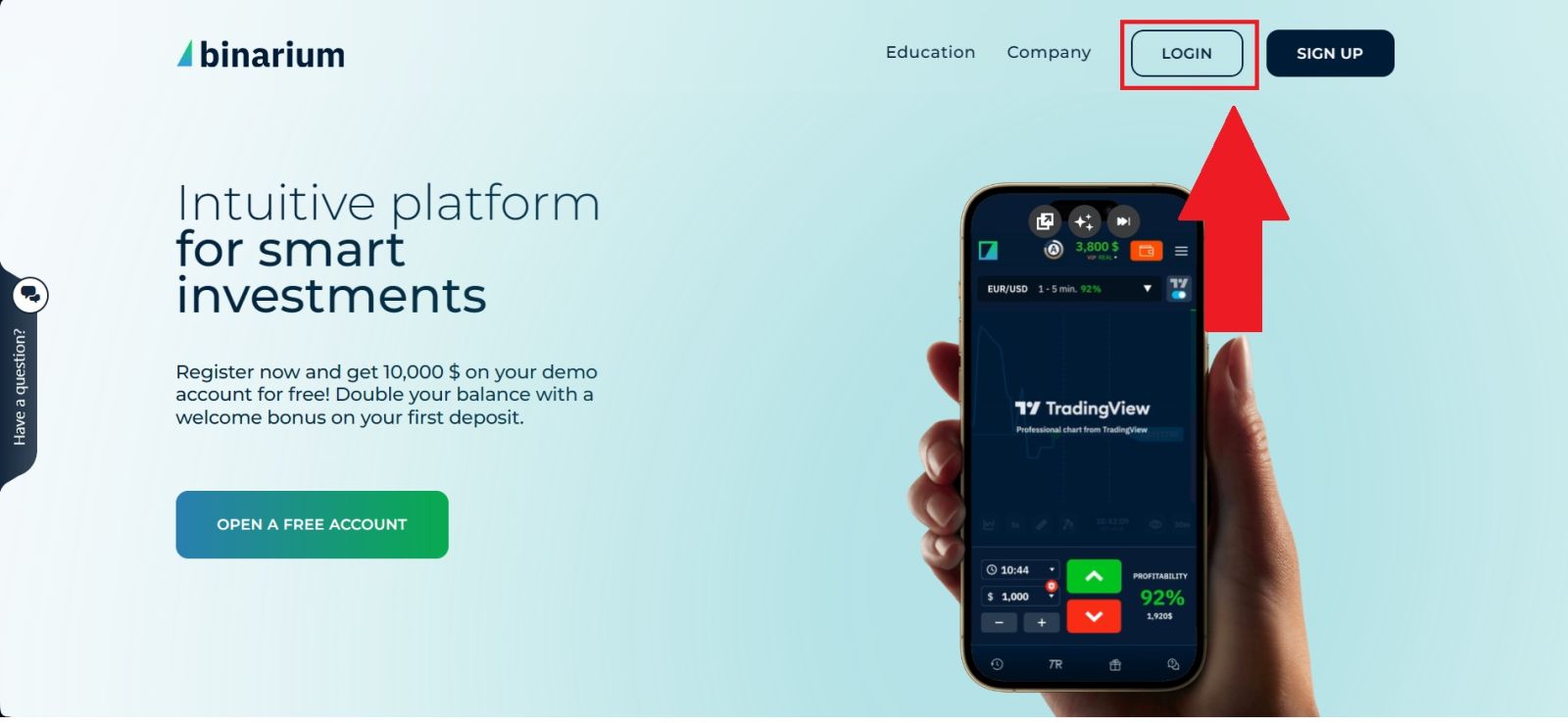
Step 2: Access Account Verification
From your dashboard on Binarium, locate the “Verification” section. This option is usually found within the account settings menu and serves as the starting point for completing your account verification process.
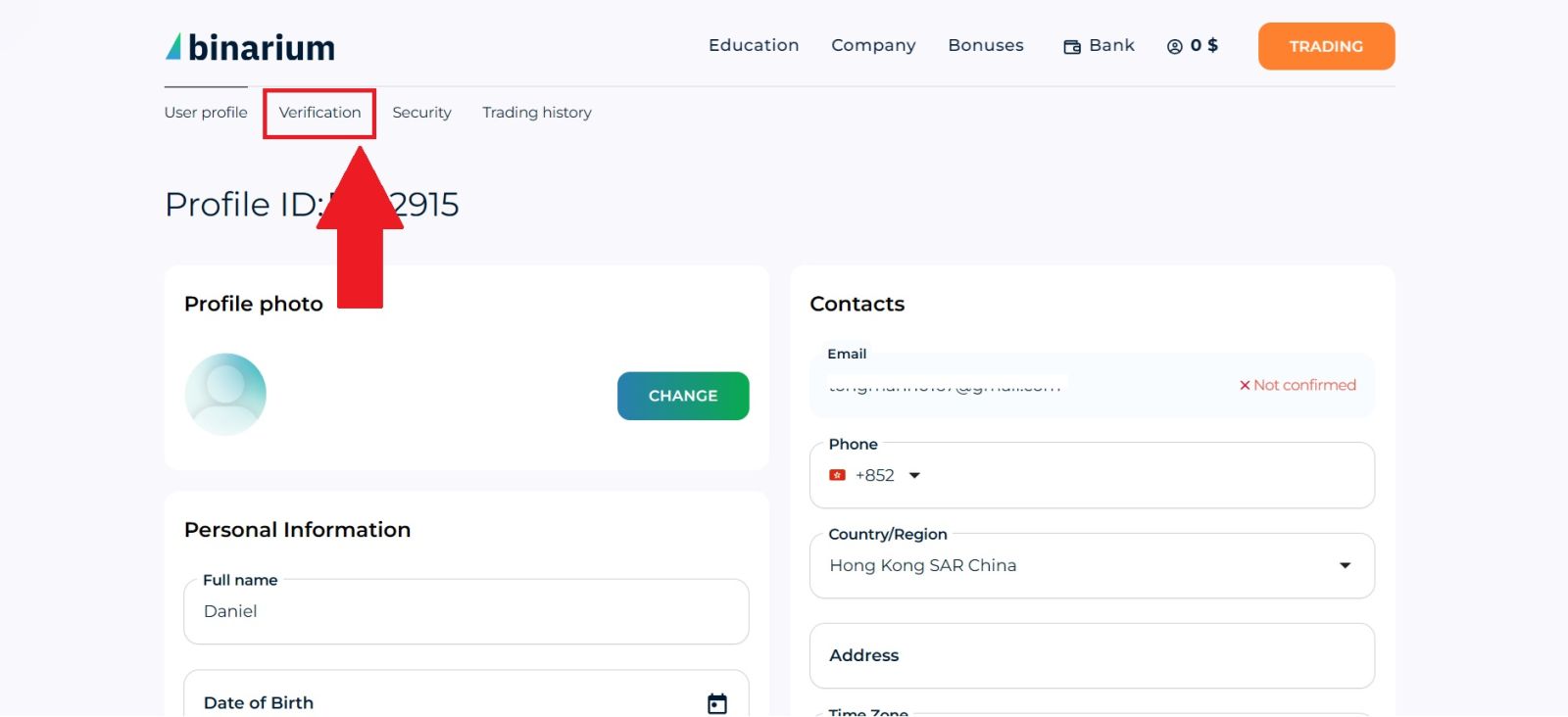
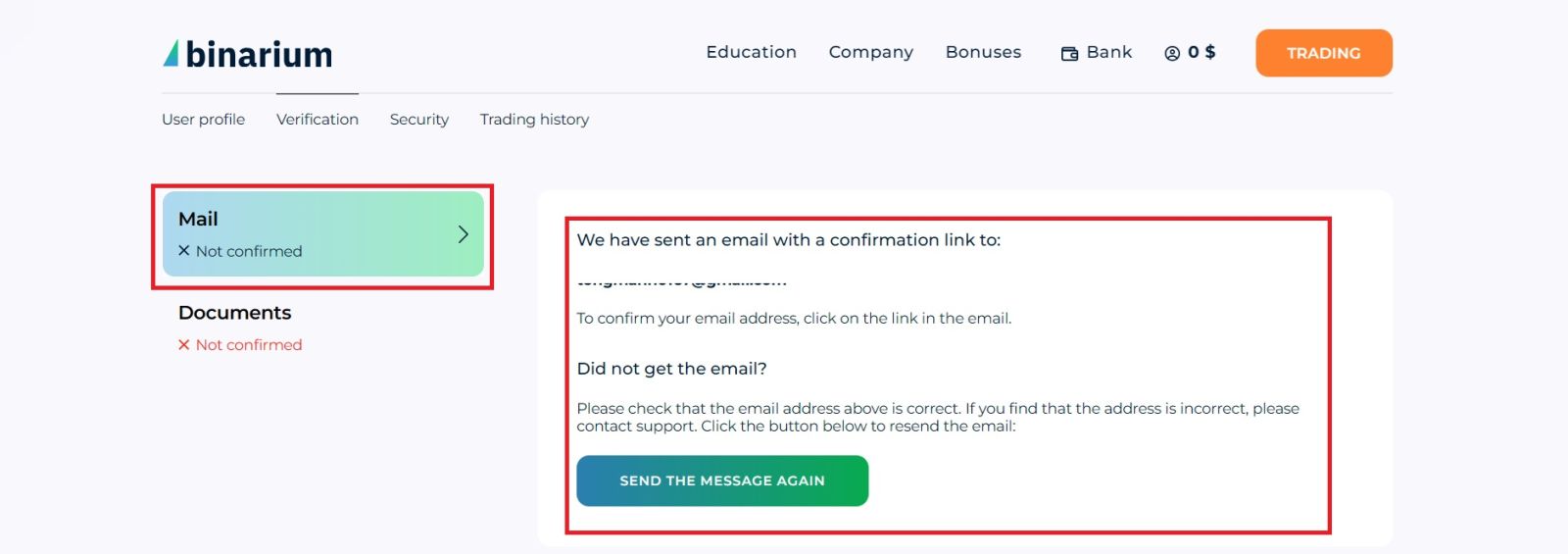
Step 3: Email Account Verification
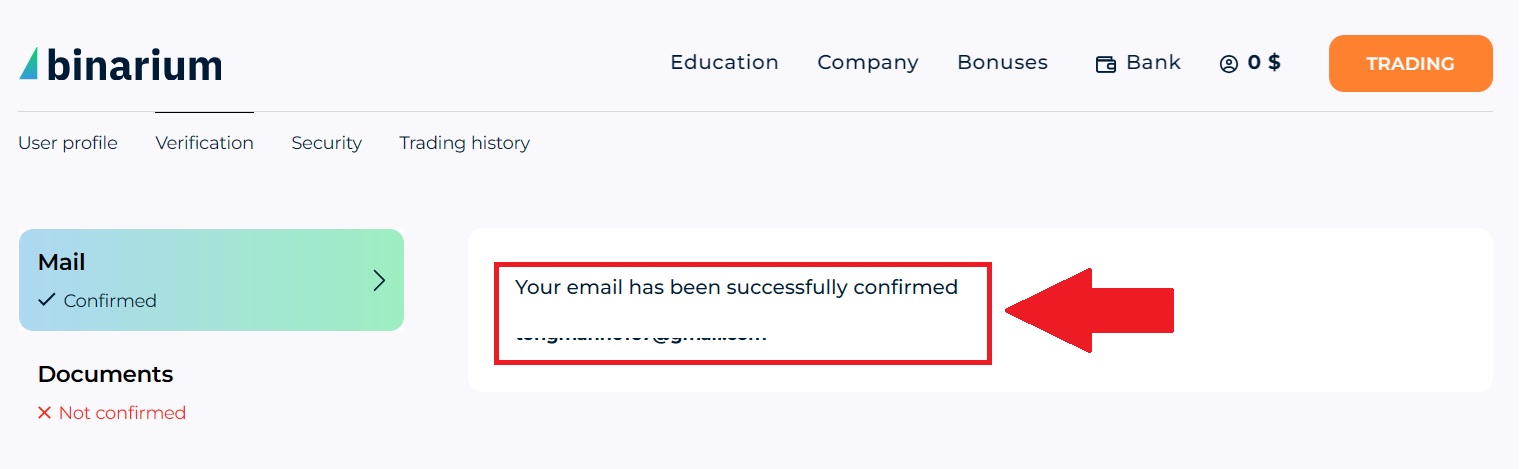
Open your email inbox to confirm your email address for your Binarium account. Look for the verification message sent by the platform and follow the instructions inside the email.
If you do not receive the message, return to the verification page and click [SEND THE MESSAGE AGAIN]. After that, you have successfully verified your email.
Step 4: Upload Your Identity Document
Click on [Documents] to process on the Document Section.To continue the verification process on Binarium, you need to upload a valid identity document.
Prepare a photo of an identification document that includes both your photo and signature, such as a passport, national ID card, or Aadhaar card. Make sure that all information on the document is clearly visible, including the document number and personal details.
Next, drag and drop your file into the upload area, or click “Browse” to select the document from your device. The platform accepts file formats such as JPG, PNG, TIFF, or PDF, with a maximum file size of 10 MB.
Once the document is uploaded, click “SUBMIT FILES” to send it for review and proceed with the account verification process.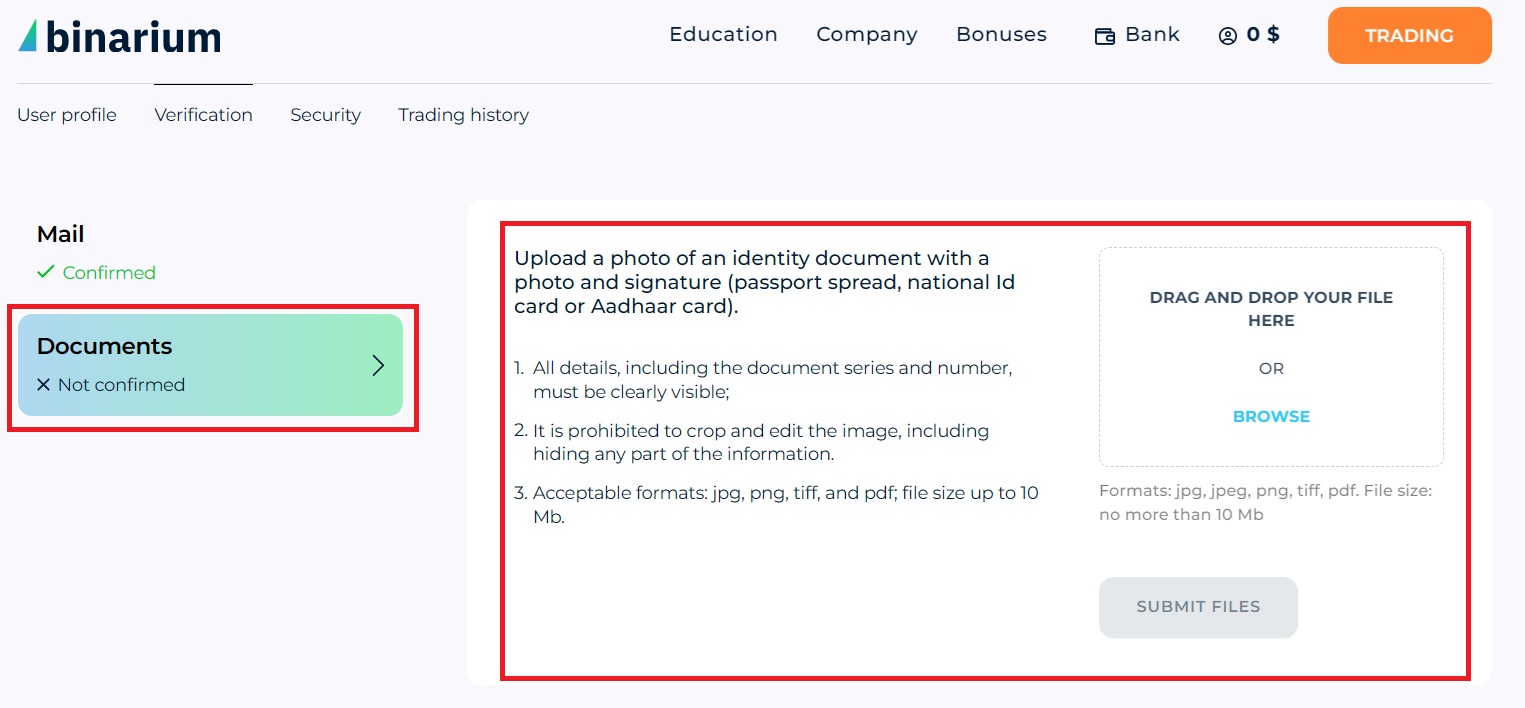
Step 5: Completed KYC Process
After your documents are submitted, Binarium will review the information you provided. Once the verification process is complete, you will receive an email notification informing you of the result.
If your account is successfully verified, you will gain full access to the platform’s features, including trading, deposits, and withdrawals.